
It’s 8:00 AM on a Monday. Your waiting room is already half-full, the hygienists are ready to go, and you’re staring at a "Database Connection Error" on your main workstation. OpenDental won't launch. Every minute you spend staring at that spinning wheel is a minute you aren't seeing patients, and more importantly, it's a minute where your practice's productivity hits zero while your overhead keeps ticking.
Setting up a dental practice is hard enough without the looming shadow of HIPAA compliance and technical failures. If your IT setup is a "best guess" effort, you aren't just risking downtime; you’re risking massive fines and a damaged reputation.
At Direct Support, we see this all the time. Offices try to save a buck by having a tech-savvy relative set up their network, only to realize later that they’ve built a house on sand. Here is your quick-start guide to doing it right the first time, ensuring your data is secure, your software is fast, and your budget stays predictable.
The Foundation: HIPAA Isn’t a Suggestion
If you handle patient data, you are a target. HIPAA (Health Insurance Portability and Accountability Act) isn't just about privacy; it's about the security of electronic Protected Health Information (ePHI). The first thing you need to do: before you even plug in a server: is understand that security is your responsibility.
1. Appoint a Compliance Officer
You don’t need to hire a new person, but someone in the office needs to "own" the compliance aspect. This person ensures that Business Associate Agreements (BAAs) are signed and that staff follow security protocols. If you use a third-party vendor for IT, billing, or cloud storage, you must have a BAA in place. Without it, you are in violation of HIPAA before you even open your doors.
2. Conduct a Risk Assessment
You can't fix what you don't know is broken. A security risk assessment identifies where ePHI is stored, who has access to it, and how it could be compromised. This isn't a one-time event; it’s a living document that guides your IT decisions.
Technical Safeguards: Securing the Digital Operatory
Once the paperwork is in order, it’s time to look at the hardware and software. A common mistake is treating a dental office like a home office. They are not the same.
Access Controls and Authentication
Stop using shared passwords. I’ll say it again: Stop using shared passwords.
- Unique User IDs: Every single staff member: from the receptionist to the lead dentist: must have their own login credentials. This creates an audit trail. If someone accesses a file they shouldn't, you need to know who it was.
- Automatic Log-offs: Workstations in the operatory should be set to log off or lock after a short period of inactivity. You don’t want a patient in Chair 2 seeing the records of the patient in Chair 1.
- Multi-Factor Authentication (MFA): If you can turn on MFA for your email or practice management software, do it. It is the single most effective way to prevent unauthorized access.
Encryption: The "Safe Harbor"
If your data is encrypted and you lose a laptop, it might not be considered a reportable breach under the HIPAA Breach Notification Rule. This is known as "Safe Harbor."
- At Rest: Ensure your server and workstation hard drives are encrypted (using tools like BitLocker).
- In Transit: Any email containing patient info must be encrypted. Do not send X-rays via standard Gmail or Outlook without a secure portal or encryption tool.
The OpenDental (and Practice Management) Setup
Most dental practices rely on software like OpenDental, Eaglesoft, or Dentrix. These are the lifeblood of your business. Setting them up correctly is the difference between a smooth day and a day full of lag.
Server vs. Workstation
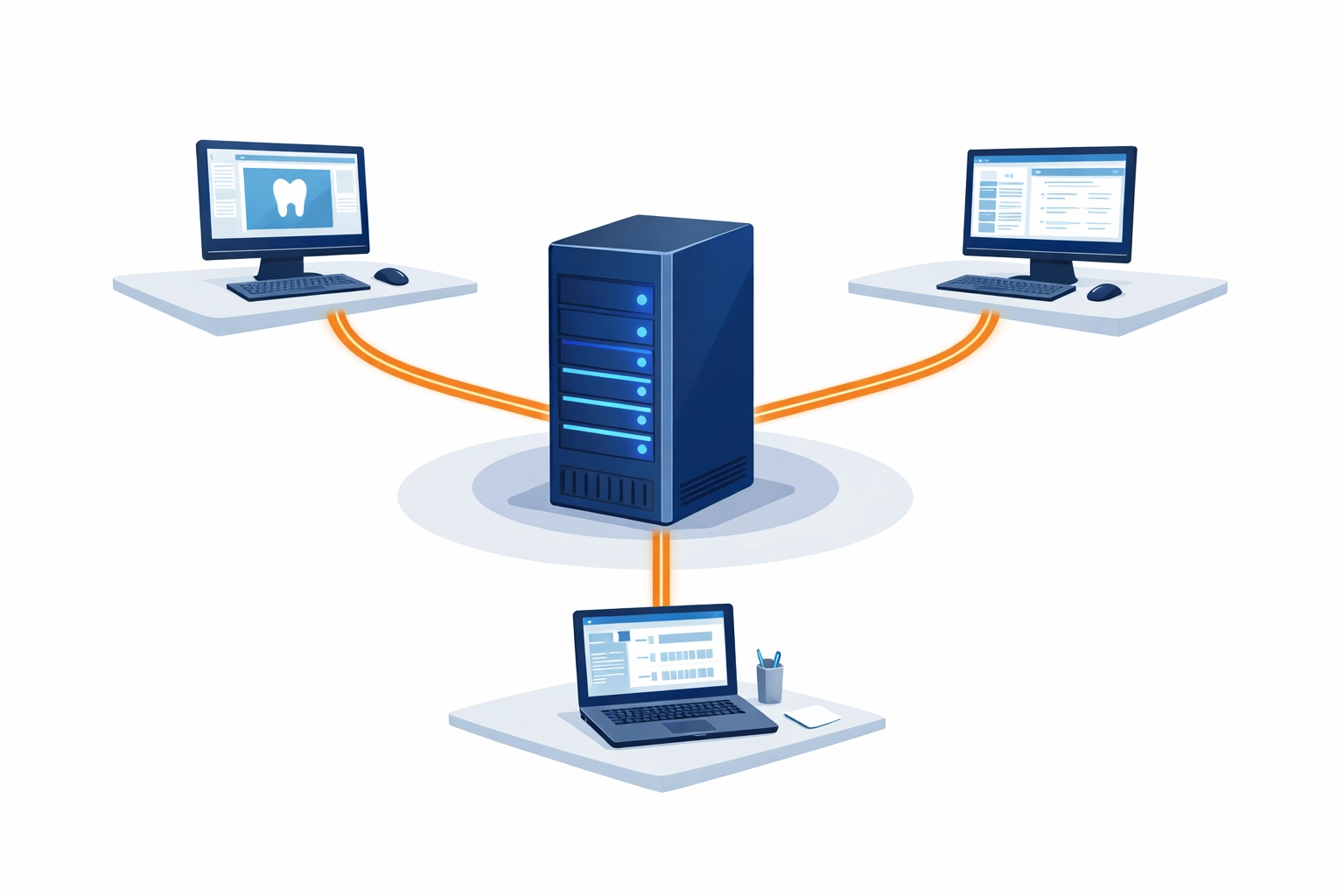
Don’t try to run your practice off a "host" workstation that also acts as the front desk computer. You need a dedicated server or a high-end machine acting solely as the database host. Network and server management for SMBs is vital here because if that server goes down, the whole office goes dark.
Local vs. Cloud Backups
You need both. A local backup allows for fast recovery if a single file is deleted. A cloud backup is your "nuclear option" if the building burns down or you get hit by ransomware. Ensure your backup provider signs a BAA and that your backups are tested regularly. A backup you haven't tested is just a file taking up space.
The Physical Layout Matters
HIPAA headaches often come from physical oversights.
- Monitor Placement: Position monitors so they aren't visible from the waiting area or by other patients walking down the hall. Use privacy screens if necessary.
- Server Security: Your server shouldn't be sitting under a desk in a high-traffic area. It should be in a locked closet or a secure rack.
- Device Disposal: When you upgrade that old Windows 10 machine, you can't just toss it in the dumpster. You need to physically destroy the hard drive or use a certified data-wiping service.
Why the "Hourly" IT Model Is Broken for Dental
In the traditional IT world, you call a guy, he comes out (or remotes in), and he bills you $150 to $250 an hour. This model creates a "perverse incentive." The slower the tech works, and the more things break, the more money they make.
For a dental practice, this is a nightmare. You need a fixed cost that aligns with your success, not your failure.
The $150 Flat-Rate Solution
At Direct Support, we believe in transparent pricing vs. hourly IT services. We charge a flat $150 per issue.
- If it takes 20 minutes? $150.
- If it takes 3 hours of deep-diving into OpenDental database errors? Still $150.
This model allows you to budget your IT expenses without "financial surprises." You know exactly what it costs to fix a problem, which encourages you to call us as soon as a minor glitch appears: before it turns into a practice-wide outage.

Fast Resolution: Keeping the Chairs Full
In the dental world, time is literally money. If your digital X-ray sensor stops communicating with your software, you can't complete a diagnosis. If your billing software won't process a claim, your cash flow halts.
Our remote support model is built for speed. We don't make you wait for a technician to drive across town in traffic. We use secure remote tools to jump onto your system immediately. Flat-fee IT support delivers reliable remote tech help because our goal is to get you back to work as fast as possible. The sooner we fix your issue, the sooner we can help the next client. Our interests are perfectly aligned with yours: Speed and Resolution.

Key Takeaways for Your Dental IT Setup
To avoid the most common HIPAA and operational headaches, follow this checklist:
- BAAs First: Never let a vendor touch your data without a signed Business Associate Agreement.
- Unique Logins: Every employee gets their own password. No exceptions.
- Encrypted Everything: Encrypt your drives and your emails.
- Dedicated Server: Don't cut corners on the hardware that hosts your practice management software.
- Predictable Pricing: Switch to a flat-fee model to avoid the "hourly trap."
If you’re seeing signs that your business needs professional IT support, don't wait for a total system collapse. Whether it's a nagging printer issue, a slow network, or a full-scale OpenDental migration, we can handle it for a flat, predictable fee.
Simplification is the Ultimate Sophistication
You didn't go to dental school to become an IT administrator. Every hour you spend troubleshooting a network switch is an hour you aren't providing care to your patients. By implementing these basic HIPAA safeguards and moving to a fixed-price IT support model, you remove the stress of technical failure from your daily routine.
Technology should be a utility: like the electricity in your walls or the water in your sinks. It should just work. And when it doesn't, you should know exactly who to call and exactly what it will cost to fix.
Don't let "billing ambiguity" or technical complexity slow down your practice. Focus on your patients, and let us handle the bits and bytes. After all, a smooth-running office isn't just about the latest dental tech; it's about the reliable IT infrastructure that supports it.