
It is 4:45 PM on a Thursday. Your lead engineer is finalizing a massive structural set for a Friday morning submittal. Suddenly, Revit hangs. The "Not Responding" ghost appears. Ten minutes pass. Then twenty. Every minute the software stays frozen is a minute of billable time evaporating and a deadline inching dangerously closer.
In the old world of IT, this is where the panic sets in: not just because of the technical failure, but because of the financial one. You call your IT provider, and the "billing clock" starts ticking. You’re charged for the phone call, charged for the diagnostic, and charged for the fix. By the time the workstation is back online, you’ve spent $400 in hourly fees on top of the lost productivity.
This is the "Engineering IT Trap." It’s a model designed to punish growth and profit from your downtime. But as your firm scales, you need an infrastructure that supports high-speed collaboration and heavy software like AutoCAD and Revit without the anchor of unpredictable costs.
The Hourly Billing Bottleneck
Most engineering and architecture firms are still stuck in the 2010s mindset of managed services or hourly "break-fix" models. If you have an internal team, they are likely overwhelmed by the sheer complexity of BIM (Building Information Modeling) workflows. If you outsource, you’re likely overpaying for a "seat" every month or getting hit with surprise invoices every time a server lags.
Scaling a firm requires predictable margins. You cannot accurately bid on a project if your overhead includes a variable IT bill that fluctuates by thousands of dollars based on how many times a software license glitches.
The modern solution is flat-rate on-demand support. Instead of a retainer or an hourly rate that incentivizes the technician to work slowly, you pay a flat $150 per issue. Whether it takes 20 minutes or two hours to fix that Revit synchronization error, the price is the same. This shift in pricing isn’t just about saving money; it’s about aligning your IT support with your business goals.

Optimizing for Specialized Software: AutoCAD and Revit
Engineering IT isn't like standard office IT. You aren't just managing emails and Word documents; you are managing high-compute environments, massive datasets, and real-time collaboration tools.
When your Revit Central Model starts acting up, you don't need a generalist. You need someone who understands hardware acceleration, GPU drivers, and network latency. Standard IT providers often struggle with the specific requirements of Autodesk products, leading to "fixes" that don't actually address the root cause of the performance lag.
Key Optimization Areas for Engineering Software:
- Workstation Provisioning: If your engineers are running 32GB of RAM for complex BIM projects, they are already behind. Optimization starts with ensuring the hardware matches the software's appetite.
- Network Throughput: Syncing local files to a central server or a cloud-based BIM 360 environment requires optimized paths. A single misconfigured switch can throttle your entire team's speed.
- Graphics Driver Stability: 90% of "crashes" in CAD software are related to driver conflicts. Regular, proactive patching is required to keep the lights on.
By moving to an engineering IT optimization strategy, you eliminate the technical debt that causes these crashes in the first place.
The 5-Step Framework for Engineering IT Scaling
To scale your firm without ballooning your tech budget, you must follow a systematic approach to optimization. This isn't about buying the newest gadgets; it's about making what you have work harder.
1. Define Outcomes, Not Specs
Stop focusing on "buying a new server" and start focusing on "reducing file sync time by 40%." When you define the outcome, the technical path becomes clear. If your goal is to support remote engineers, your optimization might focus on VDI (Virtual Desktop Infrastructure) or high-speed VPN tunnels rather than physical hardware in your office.
2. Assess and Audit
You cannot optimize what you don't track. Most firms have "shadow IT": old software versions, forgotten cloud subscriptions, and workstations that should have been decommissioned years ago. A thorough audit identifies these risks before they become $150 problems.
3. Map Your Business Capabilities
Align your tech with your projects. If your firm is moving toward more design-build work, your IT infrastructure needs to support mobile field access and high-speed data transfer to job sites. Mapping these capabilities ensures you aren't spending money on tech that doesn't help you finish projects faster.
4. Rationalize Your Tech Stack
This is the most critical step for cost control. Consolidate your systems. Do you really need three different file-sharing platforms? Every redundant application is a security hole and a potential support ticket. Standardizing your software versions across the entire firm reduces the "complexity tax" you pay every day.
5. Consolidate and Automate
Move toward virtualization where possible. Virtualizing your servers allows for easier backups, faster disaster recovery, and better resource allocation. Automation can handle the "boring" stuff: patching, updates, and basic security checks: leaving the complex problem-solving to the experts.

Why Flat-Fee Support is the Catalyst for Growth
The biggest blocker to scaling an engineering firm isn't a lack of talent; it's the fear of overhead. When you know that every technical hurdle has a fixed cost of $150, you stop hesitating to fix things.
Traditional IT models encourage you to "deal with it" until the system completely breaks. You ignore the slow load times or the flickering monitor because you don't want to trigger a three-hour billing cycle. But those "small" delays add up to hundreds of hours of lost productivity across a year.
The Direct Support Advantage:
- Predictable Budgeting: You know exactly what a fix costs before you even pick up the phone.
- Expertise on Demand: Specialized knowledge in AutoCAD, Revit, and engineering servers is available when you need it, not just when your "contract" allows.
- No Long-Term Contracts: You aren't locked into a monthly fee for services you might not use. You only pay when you have a problem.
For a deeper dive into the numbers, check out our business IT support pricing guide.
Avoiding Common Infrastructure Mistakes
Many architecture and engineering firms fall into the same traps when trying to grow. They over-complicate their networks or under-invest in the wrong areas.
Common Mistake: Underestimating Server Load.
Engineering files are massive. If your server isn't optimized for high-speed read/write operations, your entire team will sit idle while files save. Proper engineering server optimization is non-negotiable for firms with more than five designers.
Common Mistake: Ignoring Remote Security.
With more engineers working from home or the field, the "perimeter" of your office no longer exists. If you haven't implemented robust MFA (Multi-Factor Authentication) and secure remote access, you are one click away from a total shutdown.
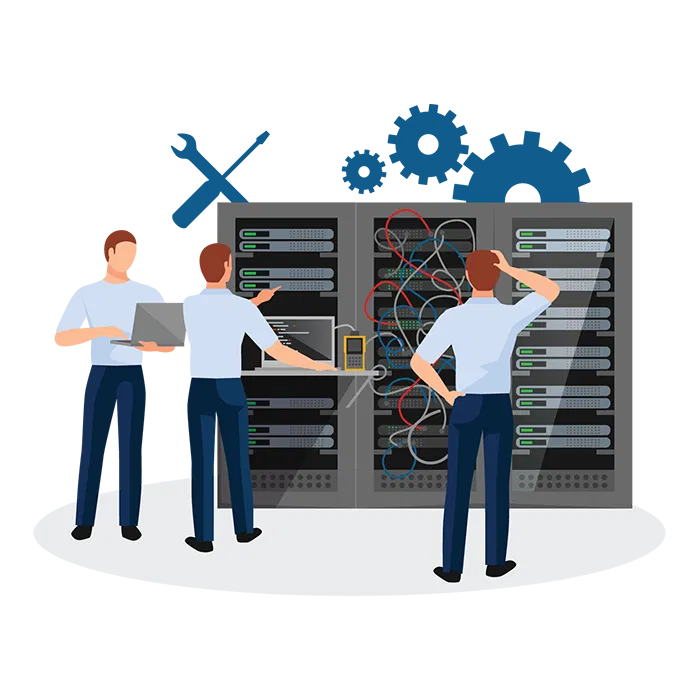
Key Takeaway: Optimization isn't a one-time event; it's a state of being. By rationalizing your tech stack and moving to a flat-rate support model, you turn IT from a variable expense into a stable utility.
Scaling Your Firm: The Modern Blueprint
If you want to scale, you need to remove the friction. Friction is the 10 minutes it takes to open a drawing. Friction is the two days it takes for an IT guy to call you back. Friction is the invoice that’s $500 higher than you expected.
Direct Support provides the grease for that machine. By offering on-demand IT support at a $150 flat rate, we allow you to focus on engineering while we handle the bits and bytes. We specialize in the software you use every day, ensuring that when a problem arises, we aren't learning on your dime.
Final Checklist for Engineering IT Optimization:
- Standardize Hardware: Ensure all workstations meet the "Recommended" (not "Minimum") specs for your software.
- Eliminate Hourly Billing: Move to a flat-rate model to protect your project margins.
- Review Your 7 Biggest Mistakes: Read our guide on 7 mistakes architecture firms make with IT to see where you’re losing money.
- Optimize the Server: Ensure your local or cloud server is tuned for large-file BIM workflows.
- Secure the Perimeter: Audit your remote access protocols to prevent downtime from cyber threats.

Stop letting your IT provider's billing model dictate your firm's growth. High-stakes engineering requires high-speed support that understands the value of a deadline. Whether it's a Revit crash or a server bottleneck, the solution should be fast, expert, and: most importantly: predictable.
If your current IT setup feels like a weight around your neck, it’s time to switch to a model that actually wants you to succeed. No contracts, no hourly surprises, just $150 for the help you need, right when you need it.
